Here a little Post to implement more Language Packs in a Win 7 Enterprise or higher Version.
- Fist we need the Original Source DVD or unpacked downloaded ISO file from MS
- Implement in SCCM <Computer Management / Operating System Deployment / Operating System Install Packages>
- Add Operating System Install Package in your Folder Structure (Win 7 SP1 EE EN x64)
- Create a new Task Sequence (build and capture a reference operating system image) include the new OS install Pack
- Create a Package with the Language Packs included
- Create new step in the TS
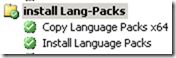
- add a run command line step
set the package source and add a xcopy command
”xcopy /S /E /Y .\*.* %WINDIR%\LangPacks\*.*”
select the “Disable 64-bit file system redirection” - add a run command line step
no package set
select the “Disable 64-bit file system redirection”
Command line: “lpksetup /i * /r /s /p “%WINDIR%\LangPacks””
Start in: “WINDIR%\LangPacks”
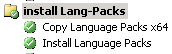
That’s it, happy testing, and be sure your Image will be grow up, with W7 SP1 EN and NO, CN, FR, DE will be 4GB image.
After the image is created check it in as a Operating system image and copy to DP’s.
In the new TS to (Install an existing image pack) select the new Image in step “Apply Operating System Image” add a Unattended.xml File!
in these File is important to set the following
<?xml version=”1.0″ encoding=”utf-8″?>
<unattend xmlns=”urn:schemas-microsoft-com:unattend”>
<settings pass=”specialize”>
<component name=”Microsoft-Windows-International-Core” processorArchitecture=”amd64″ publicKeyToken=”31bf3856ad364e35″ language=”neutral” versionScope=”nonSxS” xmlns:wcm=”http://schemas.microsoft.com/WMIConfig/2002/State” xmlns:xsi=”http://www.w3.org/2001/XMLSchema-instance”>
<InputLocale>0807:00000807</InputLocale>
<SystemLocale>de-CH</SystemLocale>
<UILanguage>de-DE</UILanguage>
<UserLocale>de-CH</UserLocale>
<UILanguageFallback>de-DE</UILanguageFallback>
</component>
</settings>
<settings pass=”oobeSystem”>
<component name=”Microsoft-Windows-International-Core” processorArchitecture=”amd64″ publicKeyToken=”31bf3856ad364e35″ language=”neutral” versionScope=”nonSxS” xmlns:wcm=”http://schemas.microsoft.com/WMIConfig/2002/State” xmlns:xsi=”http://www.w3.org/2001/XMLSchema-instance”>
<InputLocale>0807:00000807</InputLocale>
<SystemLocale>de-CH</SystemLocale>
<UILanguage>de-DE</UILanguage>
<UILanguageFallback>de-DE</UILanguageFallback>
<UserLocale>de-CH</UserLocale>
</component>
</settings>
<cpi:offlineImage cpi:source=”catalog://sccm1/os/windows7_ent_x86/install_windows 7 enterprise.clg” xmlns:cpi=”urn:schemas-microsoft-com:cpi” />
</unattend>
To have a Zero touch installation with TS you have to set the yellow marked Lines in the unattended file, it is important that you write the Language-Pack shortcuts, for the rest you can use your regional shortcuts.
about Language in Win7
http://msdn.microsoft.com/en-us/goglobal/ee461121
a table about the shortcuts for Languages
http://msdn.microsoft.com/en-us/library/ee825488(v=cs.20).aspx
you can do it with DISM in the original install.wim file
http://www.systemcenterblog.at/?p=556
Hope it helps, have fun and be careful
no guarantie


Leave a Reply